Automate your RevOps data sync
Automate your RevOps data sync
Keep CRM, billing, support, and marketing tools in sync with RevOps automation. Replace CSV exports and Zapier chains with scheduled tool-to-tool sync.
No credit card required
Free 100k syncs every month

The RevOps data sync problem
Without automated sync, revenue operations data lives in separate tools that never agree. Your CRM shows one version of each customer. Stripe and Zendesk show different versions.

CRM and billing data never match
Your rep checks HubSpot before a renewal call. It says Starter plan. Stripe says Growth. The customer upgraded two weeks ago, and the rep pitches an upgrade they already bought.

Support history trapped outside the CRM
Your support team knows the customer filed four tickets this month. Sales has no idea. They call about expansion while the customer waits on an unresolved bug.

Manual exports and broken automations
Someone exports Stripe data every Monday, reformats columns for the CRM, and uploads. Zapier workflows break on rate limits and fail silently. Both produce stale data and recurring busywork.
CRM data sync from billing tools
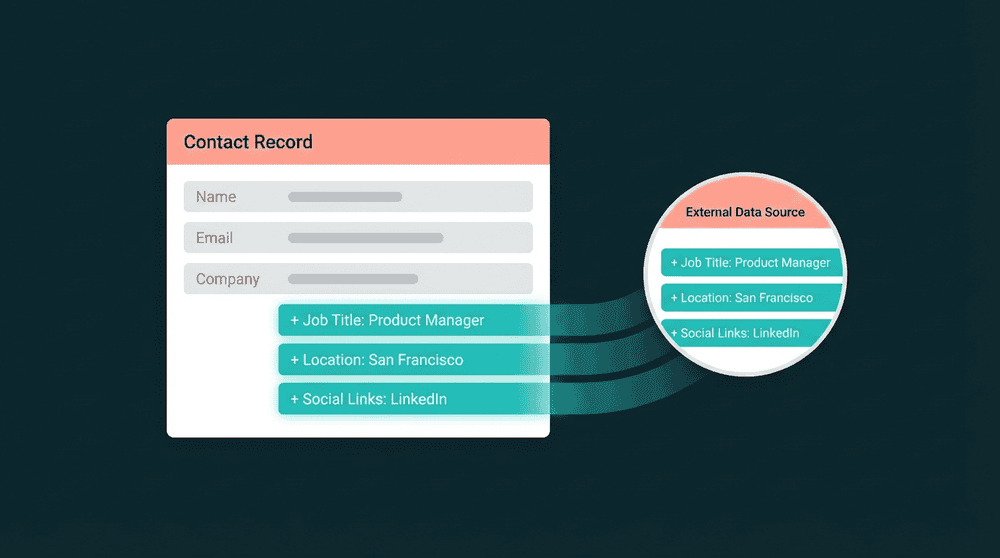
Connect Stripe and your CRM with API keys. Oneprofile syncs plan status, MRR, and renewal date to CRM contact properties every 15 minutes. Missing custom properties are created automatically.
CRM data sync from billing tools
Connect Stripe and your CRM with API keys. Oneprofile syncs plan status, MRR, and renewal date to CRM contact properties every 15 minutes. Missing custom properties are created automatically.

Product database as a sync source
Point Oneprofile at your Postgres or MySQL database. Last login, feature adoption, and usage frequency sync to CRM properties. No SDK or event tracking code needed.

Bidirectional sync between every tool
Data flows both directions. Billing data goes to your CRM, and CRM fields flow back to Stripe and support tools. One connection handles reads and writes.

No warehouse, no SQL, no data engineer
Connect tools directly without provisioning a warehouse, writing dbt models, or learning SQL. Most RevOps teams set up their first sync in under 30 minutes.
RevOps data sync examples
See how RevOps teams connect billing, support, and product tools to keep revenue operations data current across every CRM.


Sync Stripe plan status, MRR, and renewal dates to HubSpot contact properties so sales sees current billing data before every call.
Stripe
+
HubSpot


Push Zendesk ticket counts and CSAT scores to Salesforce contacts. Sales and success teams see support context without switching tools.
Zendesk
+
Salesforce


Sync product usage data from your Postgres database to Attio CRM records. Last login, feature adoption, and trial status flow automatically.
PostgreSQL
+
Attio

Sync Intercom conversation history and resolution times to HubSpot contacts for complete support context on every CRM record.
Intercom
+
HubSpot
Keep Salesforce opportunity records current with Stripe subscription status, payment history, and contract renewal dates.
Stripe
+
Salesforce

Push PostHog product usage metrics and last login dates to Attio contacts for data-driven RevOps workflows.
PostHog
+
Attio
View All Integrations
Connect your tools
Oneprofile supports wide range of integrations across categories
Attio
CRM
HubSpot
CRM
Intercom
Customer Support

Mailchimp

Mixpanel
Analytics

Plain
Customer Support
PostgreSQL
Database
PostHog
Analytics
Salesforce
CRM
Stripe
Payments
Zendesk
Customer Support
View All Integrations
How RevOps data sync works
Connect your revenue tools, map the fields you need, and data flows on schedule.
Step 1
Connect your revenue tools
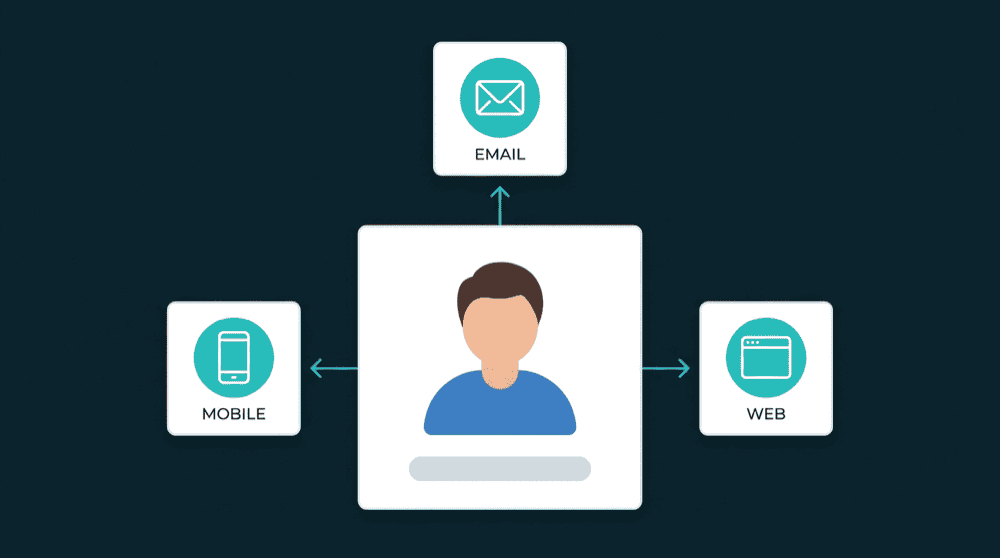
Authenticate your CRM (HubSpot, Salesforce, Attio), billing tool (Stripe), and support platform (Zendesk, Intercom) with API keys. Credentials are validated against each live API.
Step 2
Choose record types and matching key
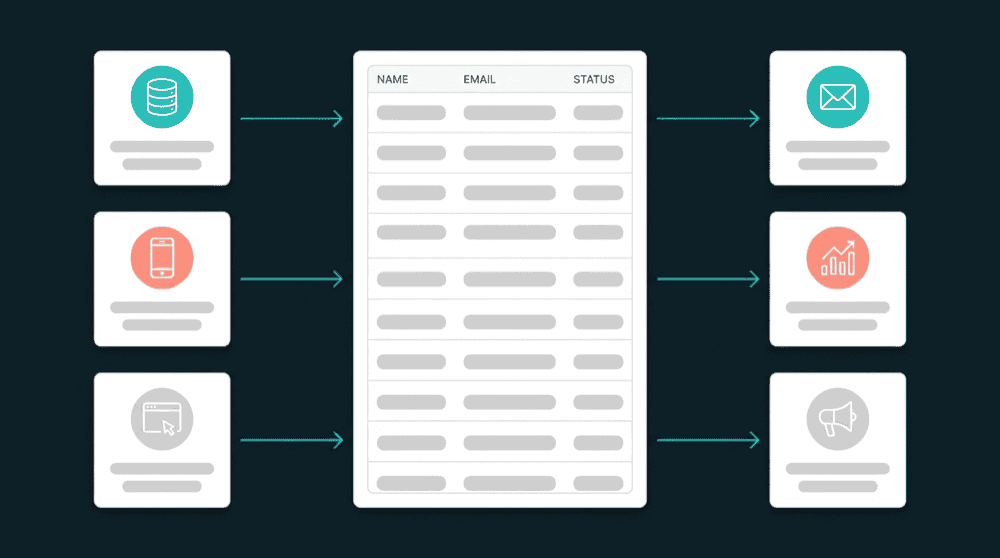
Map Stripe Customers to CRM Contacts. Select email as the primary key so Oneprofile matches records across tools without creating duplicates.
Step 3
Map fields across tools
Map plan_status, MRR, ticket_count, and last_login to CRM contact properties. Oneprofile creates custom properties automatically if they don't exist in your CRM.


Step 4
Set sync mode and schedule
Choose Update or Create mode to enrich existing contacts and create new ones. Set a 15-minute schedule. Oneprofile checks for changes and pushes only the fields that changed.
Step 5
Review synced records
The first sync backfills all historical records. Open a CRM contact and confirm billing, support, and product fields are populated. Failed records are captured for review, not dropped.

FAQ
How long does RevOps data sync take to set up?
Do I need a data warehouse for RevOps data sync?
Can I sync data from my product database to CRM?
What happens when a record fails to sync?
How is Oneprofile different from Zapier for RevOps?