Automated Sync

Field-Level Tracking

Customer Data Enrichment

Add billing status, support history, and product usage to every CRM record, automatically.

No credit card required

Free 100k syncs every month

No credit card required

Free 100k syncs every month

No credit card required

Free 100k syncs every month

Why Customer Data Enrichment Matters

Your CRM has names and emails. Billing status, support history, and product usage live in other tools. When those tools don't share data, every record stays incomplete.

Customer Data Enrichment Capabilities

Built-in features that keep every enriched record current and complete across your tools.

New fields create themselves

When you map a billing field to your CRM, Oneprofile creates the custom property before writing data. No schema setup in the destination. Fields appear as your data enrichment process runs.

Enrichment flows in every direction

Every tool is both a source and a destination. Enrich CRM contacts with billing data, then enrich email segments with CRM data. One connection handles both directions.

Only changed fields get written

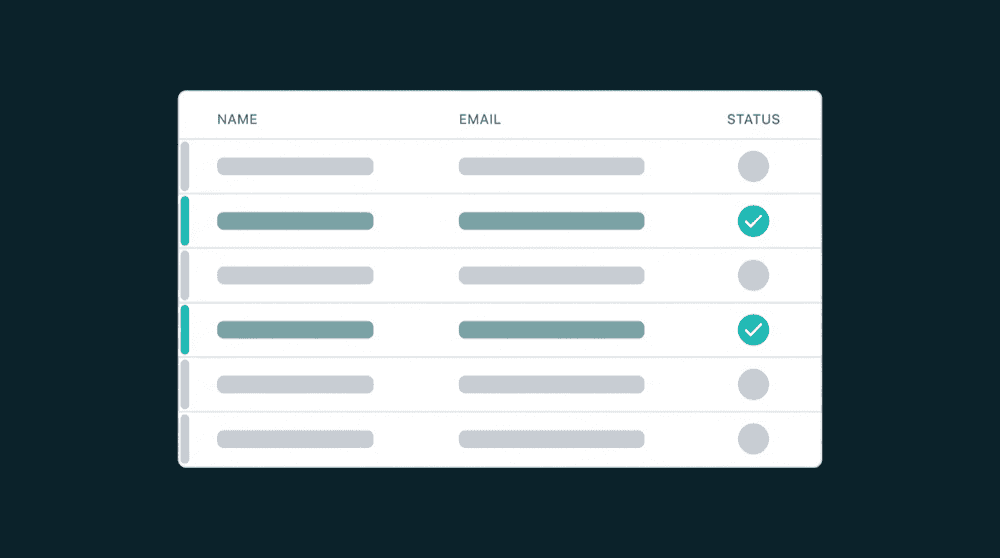
Property-level change tracking sends precise diffs. Fields updated by other sources stay untouched.

Enrichment runs on your schedule

Cron-based schedules with grouped sync configs. Pause, resume, and see exactly when the next run happens.

Failed records are never lost

Records that fail all retries land in a dead letter queue. Investigate, fix, and reprocess without rerunning the entire sync.

How customer data enrichment works

Connect a source tool, map fields to your destination, and enrichment runs on a schedule.

Step 1

Connect a source and destination

Authenticate your tools. Oneprofile validates credentials against the live API and discovers available record types and fields automatically.


Step 2

Map enrichment fields

Pick which source fields flow to the destination. Map billing status, ticket count, or product tier to CRM properties. Type-aware mapping catches mismatches before data flows.

Step 3

Schedule and enrich customer records

Set a sync schedule. The first run backfills every existing record. Each run after that processes only records that changed. Your destination stays enriched without manual effort.
FAQ

How does customer data enrichment work without a warehouse?

Oneprofile connects your tools directly and syncs fields between them. Map billing data from Stripe to CRM contacts, support data from Zendesk to email segments. No warehouse, no SQL transforms required.

What types of data can I use to enrich customer records?

Any field exposed by a connected tool. Billing status and revenue from Stripe, ticket counts from Zendesk, product usage from your database, email engagement from Mailchimp. If the tool has an API and the field exists, you can map it.

Does automated data enrichment overwrite fields updated by other tools?

Not with property-level change tracking. Oneprofile tracks which fields changed at the source and only writes those specific fields to the destination. Fields updated by other sources or by your team stay untouched.

How is this different from buying data from a third-party enrichment vendor?

Third-party vendors add external data you don't have, like company size or industry. Oneprofile enriches records with operational data you already own: billing, support, product usage. Both are valid. For existing customers, your own tools are the richer source.

How does customer data enrichment work without a warehouse?

Oneprofile connects your tools directly and syncs fields between them. Map billing data from Stripe to CRM contacts, support data from Zendesk to email segments. No warehouse, no SQL transforms required.

What types of data can I use to enrich customer records?

Any field exposed by a connected tool. Billing status and revenue from Stripe, ticket counts from Zendesk, product usage from your database, email engagement from Mailchimp. If the tool has an API and the field exists, you can map it.

Does automated data enrichment overwrite fields updated by other tools?

Not with property-level change tracking. Oneprofile tracks which fields changed at the source and only writes those specific fields to the destination. Fields updated by other sources or by your team stay untouched.

How is this different from buying data from a third-party enrichment vendor?

Third-party vendors add external data you don't have, like company size or industry. Oneprofile enriches records with operational data you already own: billing, support, product usage. Both are valid. For existing customers, your own tools are the richer source.

Ready to get started?

No credit card required

Free 100k syncs every month

Ready to get started?

No credit card required

Free 100k syncs every month

Ready to get started?

No credit card required

Free 100k syncs every month

© 2026 Oneprofile Software

455 Market Street, San Francisco, CA 94105

© 2026 Oneprofile Software

455 Market Street, San Francisco, CA 94105

© 2026 Oneprofile Software

455 Market Street, San Francisco, CA 94105

