BigQuery

BigQuery integration
Sync data between BigQuery and your SaaS tools. Use your warehouse as a source for pushing modeled data to CRM and marketing tools, or as a destination for consolidating records.
Activate data with the BigQuery integration
Push BigQuery tables to operational tools or consolidate everything in SQL.
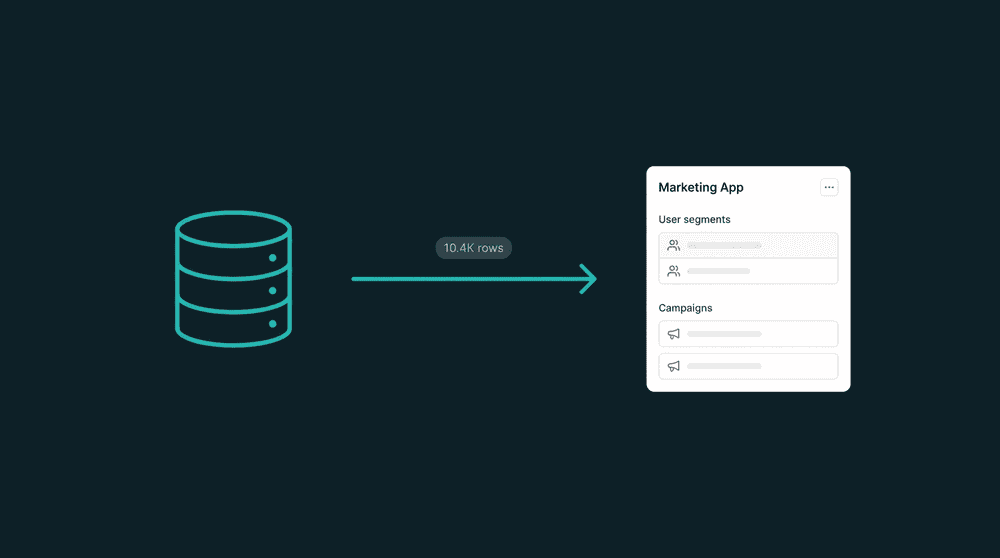
Reverse ETL, built in
Push modeled data from any BigQuery table directly to your CRM, marketing, or support tools. No separate reverse ETL product needed. Oneprofile handles it.


Popular integrations with
BigQuery
Connect
BigQuery
to these tools for powerful data workflows

CRM
Push modeled customer data from BigQuery to HubSpot contacts for sales context without reverse ETL tooling.
BigQuery
+
HubSpot

CRM
Sync computed account scores and revenue metrics from BigQuery into Salesforce for pipeline teams.
BigQuery
+
Salesforce

Activate BigQuery audience segments in Braze for targeted messaging based on warehouse-modeled cohorts.
BigQuery
+
Braze

Payments
Consolidate Stripe billing events into BigQuery for revenue analytics and churn analysis.
BigQuery
+
Stripe

Customer Support
Enrich Intercom user profiles with product usage data stored in BigQuery tables.
BigQuery
+
Intercom

Database
Consolidate Stripe billing data into PostgreSQL for custom reporting and SQL-based dashboards.
BigQuery
+
PostgreSQL
View All Integrations
Connect the tools you already use
Oneprofile supports wide range of integrations across categories
HubSpot
CRM
Salesforce
CRM

Attio
CRM
Stripe
Payments

Chargebee
Payments
Intercom
Customer Support
Braze

Customer.io

Klaviyo

ActiveCampaign

Mixpanel
Analytics

PostHog
Analytics

Amplitude
Analytics
PostgreSQL
Database

Snowflake
Data Warehouse

Databricks
Data Warehouse

Mailchimp

Shopify
E-commerce

Gainsight
Analytics

Vitally
Analytics
View All Integrations
About
BigQuery
Oneprofile is not just about sending data from one tool to another. It ensures customer profiles and events stay consistent across every system, even as data changes over time.
SUPPORTED RECORDS
Any Table
Any Column
INTEGRATION TYPE
Source
Destination
CATEGORY
Data Warehouse
Analytics
Database
FAQ
How does Oneprofile connect to BigQuery?
Can I sync any BigQuery table, or only specific ones?
Can I use this BigQuery integration for reverse ETL?
Does the BigQuery integration support partitioned tables?
How does incremental sync work with BigQuery?
Is the BigQuery integration available on the free plan?