Deterministic Matching
Configurable Rules
Identity Resolution for Customer Data
Match customer records across tools using deterministic identifiers. No probabilistic guessing, no identity graph.

Why Identity Resolution Matters
Stripe has an email address, your CRM has a name, support has a ticket history. Without identity resolution, these look like three different customers. Your team works from conflicting data.
Identity Resolution Capabilities
How Oneprofile matches and merges customer records across your entire tool stack.
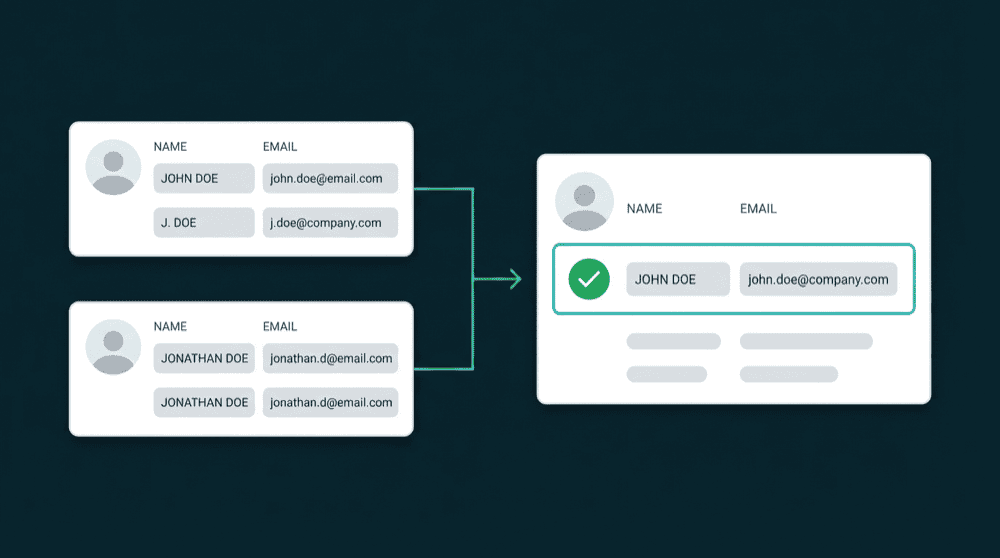
Deterministic matching, not guessing
Oneprofile matches records using explicit identifiers: email, phone, user ID, or any custom field. Every match is based on known data points. No probabilistic scoring, no ML models.

Configurable rules per integration
Each tool can match on a different identifier. Your CRM matches on email, your database on user_id, your billing tool on customer_id. Combine identifiers with OR logic for broader coverage.

You control how conflicts resolve
Set per-field merge rules: last update wins, highest value wins, or prioritize a specific source. Every merge decision is transparent.

No identity graph infrastructure
Connect tools directly. Oneprofile resolves identities without an identity graph. A shared identifier is all you need. Warehouse optional.

Merged profiles stay current
Runs on every sync cycle. New records match automatically. Source updates flow to the merged profile and every destination.
How identity resolution works
Connect tools, define matching rules, and Oneprofile resolves identities automatically.
Step 1
Connect your data sources
Authenticate your CRM, billing tool, support platform, or database. Oneprofile validates credentials and discovers available record types and fields, including the identifiers each tool stores.


Step 2
Define matching rules per tool
Choose which identifier to match on for each integration: email, phone, user ID, or any custom field. Combine identifiers with OR logic per tool.
Step 3
Records merge into unified profiles
When Oneprofile finds matching records across tools, it merges them into a single unified profile. Merge rules resolve conflicts per field. The merged profile syncs to every destination.
