Oneprofile vs Zapier: Sync vs Workflows
Oneprofile vs Zapier: data sync vs. workflow automation
Zapier automates multi-step workflows. Oneprofile keeps your tools in sync. Here is when each one fits.
What Oneprofile and Zapier do
Oneprofile syncs data between tools. Zapier automates workflows with triggers and actions. They overlap where teams use Zaps for simple data movement.


Oneprofile vs Zapier feature comparison
Side-by-side comparison of the features that matter when choosing between these two tools.
Oneprofile
Zapier
Pricing model
Published: $0 free (100K syncs), $100/mo Team (1M syncs), $2,000/mo Enterprise (5M syncs)
Per task: $29.99/mo (750 tasks) to $400+/mo
Bidirectional sync
Native. Every connector reads and writes.
No. Requires two Zaps with no conflict detection.
Sync frequency
Cron schedules (15 min to weekly) + real-time webhooks
15-min polling (paid), 1-hour (free). Instant on select plans.
Field-level change tracking
Yes, tracks old and new values per field
No. Fires on events, sends full record payload.
Error recovery
Failed records captured with error details for retry
Retries then stops. No failed record queue.
Conditional logic
No. Data sync only.
Yes. If/then branching, filters, paths, multi-step.
App count
100+ bidirectional integrations
7,000+ app connections
Historical backfill
Yes. First run syncs all existing records.
No. Only processes events after Zap creation.
Sync modes
Update, Update or Create, Create Only, Mirror
Trigger to Action (one-way per Zap)
Setup approach
Connect tools, map fields, set schedule
Build trigger-action recipes per data flow
Strengths and limitations
Oneprofile
Zapier
No per-source or per-destination fees
Free tier to start, $100/mo for teams with unlimited integrations and sync configs. 1M sync actions included — most teams never hit overage. Transparent overage at $200 per million if you do.
7,000+ app integrations
The largest app ecosystem in the automation space. Most SaaS tools have a pre-built Zapier integration, often maintained by the app vendor itself.
Bidirectional sync by default
Every connector reads and writes. Sync data between two tools in both directions from a single configuration. No update loops, no duplicate Zaps.
Multi-step conditional workflows
If/then branching, paths, filters, and multi-step sequences. Zapier handles genuine workflow logic that data sync tools cannot replicate.
Field-level change tracking
Tracks which specific fields changed with old and new values. Destinations receive precise diffs, not full-record overwrites. Manual edits in the destination stay intact.
Massive template library
Thousands of pre-built Zap templates for common use cases. Non-technical team members start from a template and customize, reducing setup time for simple automations.
No conditional logic
100+ integrations compared to Zapier's 7,000+. If you rely on niche apps, Zapier has broader coverage.
Per-task pricing scales against you
Every synced record, field update, and retry counts as a task. Teams using Zapier for data sync generate thousands of tasks monthly, pushing bills from $30 to $400+.
Smaller app catalog
100+ integrations compared to Zapier's 7,000+. If you rely on niche apps, Zapier has broader coverage.
No native bidirectional sync
Keeping two tools in sync requires two Zaps with no shared state and no conflict detection. Update loops and silent overwrites are common side effects.
Our Suggestions
Choose Oneprofile if you need bidirectional data sync between tools with published pricing and no per-source or per-destination fees.
Choose Zapier if you need multi-step conditional workflows, branching logic, or 7,000+ app triggers.
Why teams choose Oneprofile over Zapier
For teams that hit Zapier's limits on data sync: per-task pricing, one-way flows, no change tracking, and silent failures.
Difference 1
Generous included volume replaces per-task billing
Zapier charges per task, and every synced record counts. A team syncing 5,000 CRM contacts with billing data generates thousands of tasks per month. The bill grows every time a field changes or a retry fires. Oneprofile includes 1M sync actions in the $100/mo Team plan with no per-source or per-destination fees. Transparent $200/1M overage if you exceed.


Difference 2
Bidirectional sync from a single config
Every Oneprofile connector reads and writes. Syncing Stripe data to HubSpot and HubSpot changes back to Stripe takes one configuration. On Zapier, the same flow requires two Zaps with no shared state. When Zap A writes to HubSpot, Zap B detects a change and writes it back, creating update loops or silent overwrites.
Difference 3
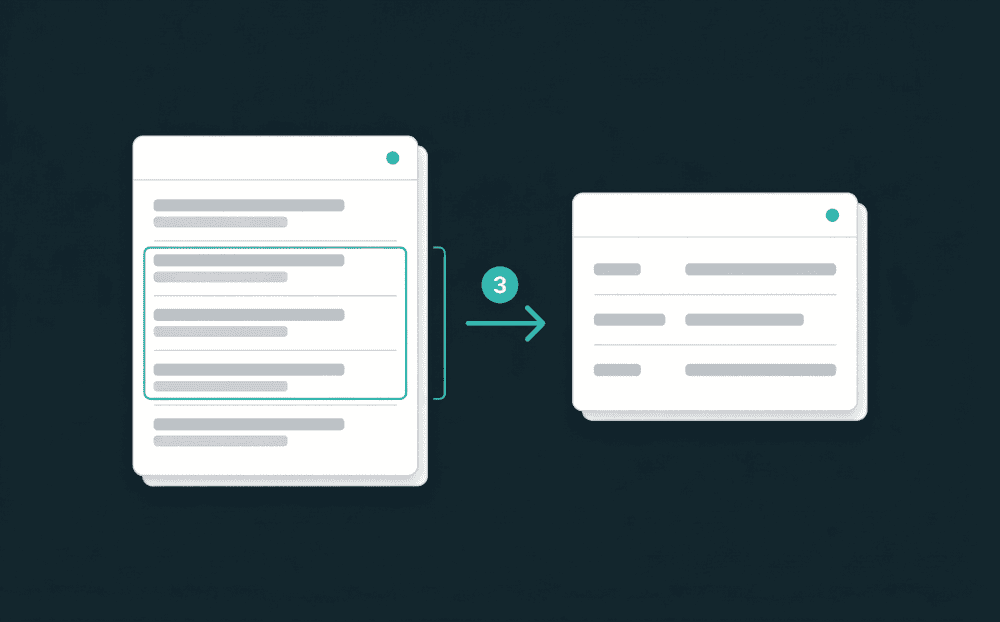
Field-level change tracking
Oneprofile tracks which fields changed with old and new values, then writes only those fields to the destination. Zapier fires on events and sends the full record, overwriting every field regardless of what changed. Your sales rep's manual CRM edit gets wiped the next time the Zap runs.


Difference 4
Error recovery for every failed record
When a record fails to sync in Oneprofile, it is captured with the error message, the record data, and a timestamp. You see what failed, why, and can retry after fixing the issue. Zapier retries failed tasks, then stops. There is no queue of failed records to inspect or reprocess.
Difference 5
Historical backfill on day one
The first Oneprofile sync run processes all existing records, backfilling your destination with historical data. Zapier only processes events that happen after you create the Zap. Existing Stripe customers, past Intercom tickets, historical CRM contacts would need a separate CSV export and manual import.
Related Content
Can Zapier do bidirectional sync?
Is Oneprofile cheaper than Zapier for data sync?
Does Zapier backfill historical data?
Can I use Oneprofile and Zapier together?