Apollo.io

Apollo.io integration
Sync prospect data, contact records, and engagement activity between Apollo.io and your CRM, marketing, and analytics tools. Bidirectional: read from Apollo.io or write to it.
Sync Apollo.io data into your pipeline
Keep Apollo.io contact intelligence flowing to every tool your team uses.
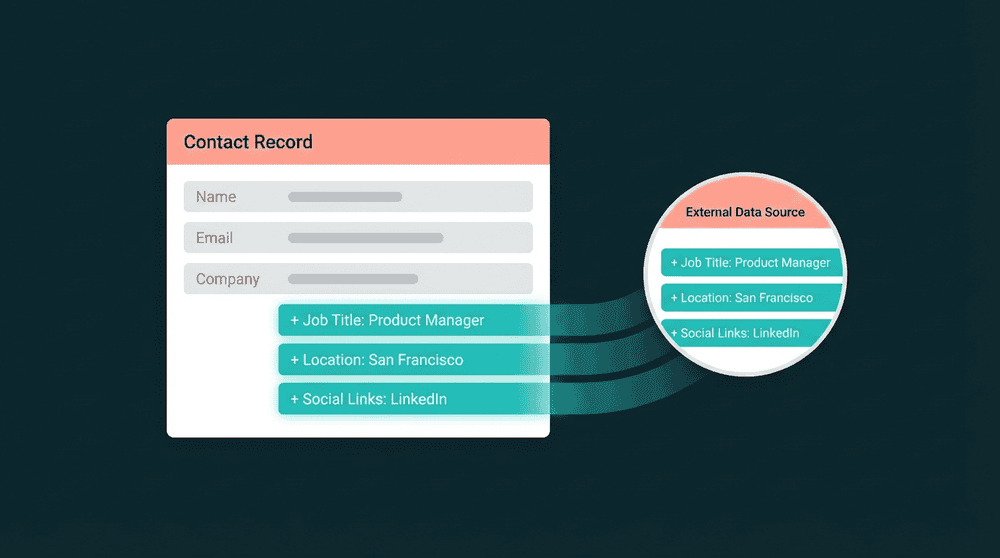
Prospect data in your CRM
Push enriched leads and company data from Apollo.io to your CRM automatically. Your sales team works from enriched contact records, not raw exports.


Popular integrations with
Apollo.io
Connect
Apollo.io
to these tools for powerful data workflows

CRM
Push Apollo.io enriched contacts to HubSpot so sales reps see job titles, company size, and intent signals.
Apollo.io
+
HubSpot

CRM
Sync Apollo.io prospect data to Salesforce leads and contacts for pipeline visibility across teams.
Apollo.io
+
Salesforce

CRM
Keep Attio CRM records enriched with Apollo.io contact intelligence without manual imports.
Apollo.io
+
Attio

Segment Mailchimp audiences using Apollo.io firmographic data for targeted outbound campaigns.
Apollo.io
+
Mailchimp

Customer Support
Enrich Intercom contacts with Apollo.io data so support sees prospect context during conversations.
Apollo.io
+
Intercom

Database
Consolidate Stripe billing data into PostgreSQL for custom reporting and SQL-based dashboards.
Apollo.io
+
PostgreSQL
View All Integrations
Connect the tools you already use
Oneprofile supports wide range of integrations across categories
HubSpot
CRM
Salesforce
CRM
Attio
CRM

Pipedrive
CRM

Close
CRM
Mailchimp

Braze

Customer.io

Klaviyo

ActiveCampaign

Mixpanel
Analytics

PostHog
Analytics

Amplitude
Analytics

BigQuery
Data Warehouse
PostgreSQL
Database

Snowflake
Data Warehouse
Intercom
Customer Support

Zendesk
Customer Support

Clay
Productivity

SendGrid
View All Integrations
About
Apollo.io
Oneprofile is not just about sending data from one tool to another. It ensures customer profiles and events stay consistent across every system, even as data changes over time.
SUPPORTED RECORDS
Contacts
Accounts
Sequences
INTEGRATION TYPE
Source
Destination
CATEGORY
CRM
FAQ
How long does it take to set up the Apollo.io integration?
Which Apollo.io record types can I sync?
Can I sync Apollo.io data to multiple tools at once?
Is the Apollo.io integration available on the free plan?
Can I write data back to Apollo.io from my CRM?